
2026. 3. 29. 13:40
iOS Simulator의 파일(File)에 파일 넣기 iOS/ETC2026. 3. 29. 13:40
Intro
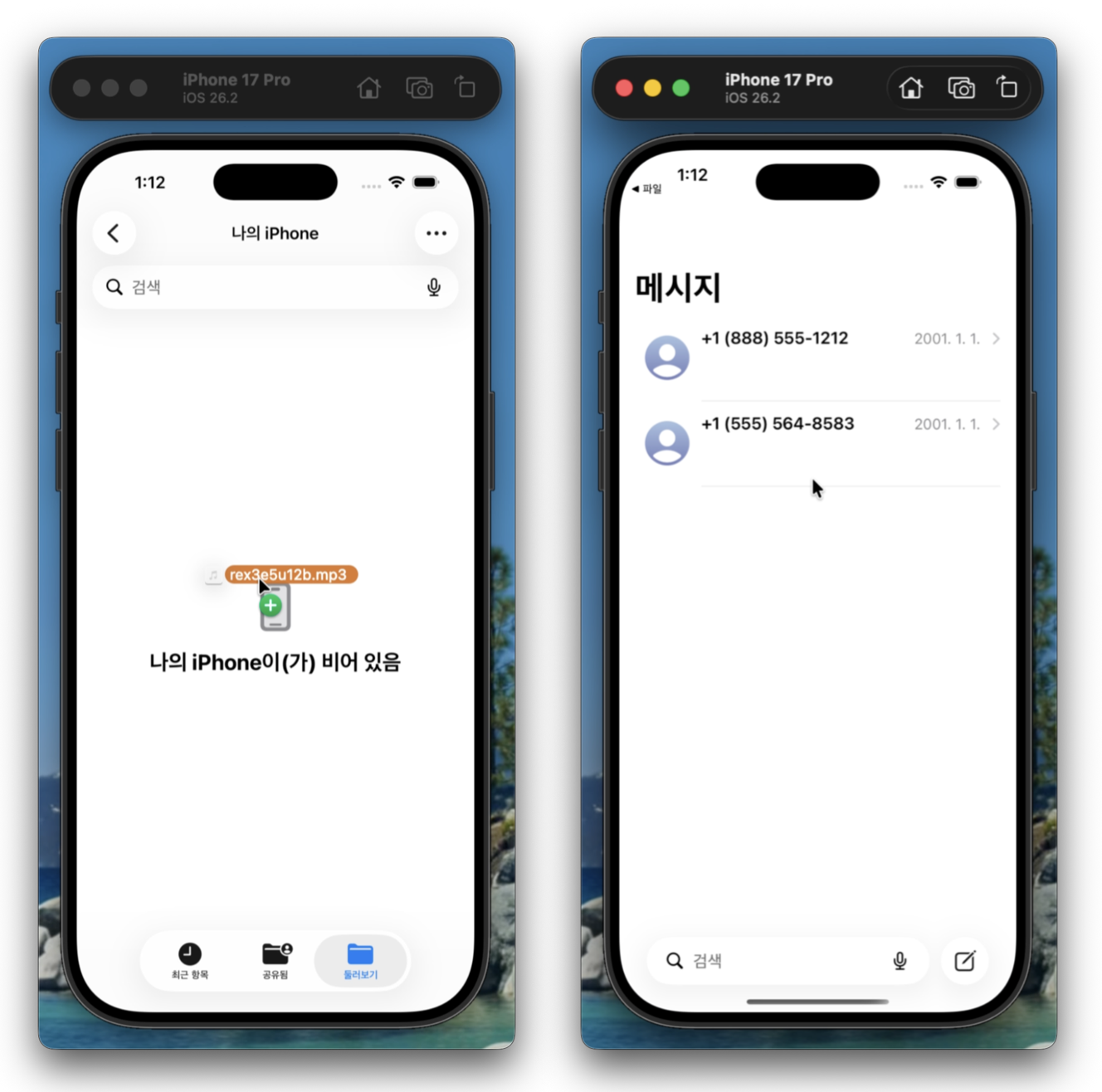
: 최근에 개발한 App Test를 위해서, iOS Simulator의 파일(File)에 *.mp3를 넣어야 했었다. iOS Simulator에 Drag 했더니, 파일이 아니라 메시지가 열렸고 *.mp3도 추가되지 않았다. 별것도 아닌데 짜증이....
Solution
: 해결 방법은 간단했다. 폴더에 *.mp3들을 넣고 iOS Simulator로 Drag하면 되는 것이었다.
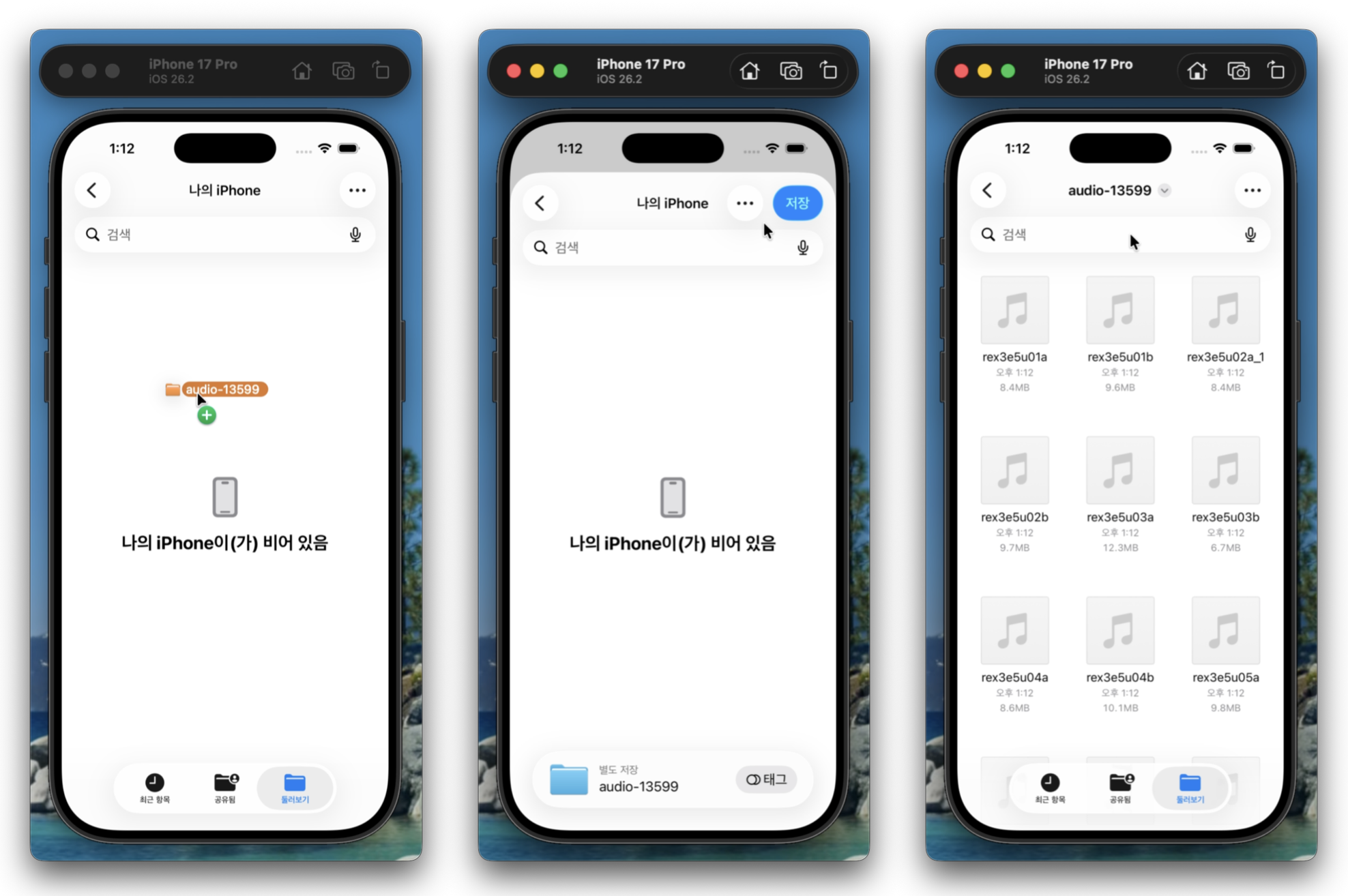
iOS Simulator에 file을 추가하는 것에 대해서 짤막하게 언급된 공식 문서(https://developer.apple.com/documentation/xcode/sharing-data-with-simulator)를 찾긴 했는데, file 종류별로 어떻게 동작하는지 세세하게 나와있지는 않았다. 내가 못찾은 건지는 모르지만, 공식 문서만으로 해결안되는 것이 너무 많다...
Reference
https://developer.apple.com/documentation/xcode/devices-and-simulator
https://developer.apple.com/documentation/xcode/sharing-data-with-simulator
Devices and Simulator | Apple Developer Documentation
Configure and manage devices connected to your Mac or devices in Simulator and use them to run your app.
developer.apple.com
'iOS > ETC' 카테고리의 다른 글
| UIImage RenderingMode (4) | 2024.11.16 |
|---|---|
| Xcode Build Setting에서 Other Linker Flag의 -ObjC는 무엇일까? (0) | 2020.09.27 |
| 간단하게 살펴보는 Unicode - 2) Swift String과 NSString (0) | 2020.04.06 |
| 간단하게 살펴보는 Unicode - 1) 소개 및 용어정리 (0) | 2020.01.19 |
| UIView bounds vs frame (1) | 2019.12.07 |


